TLDR
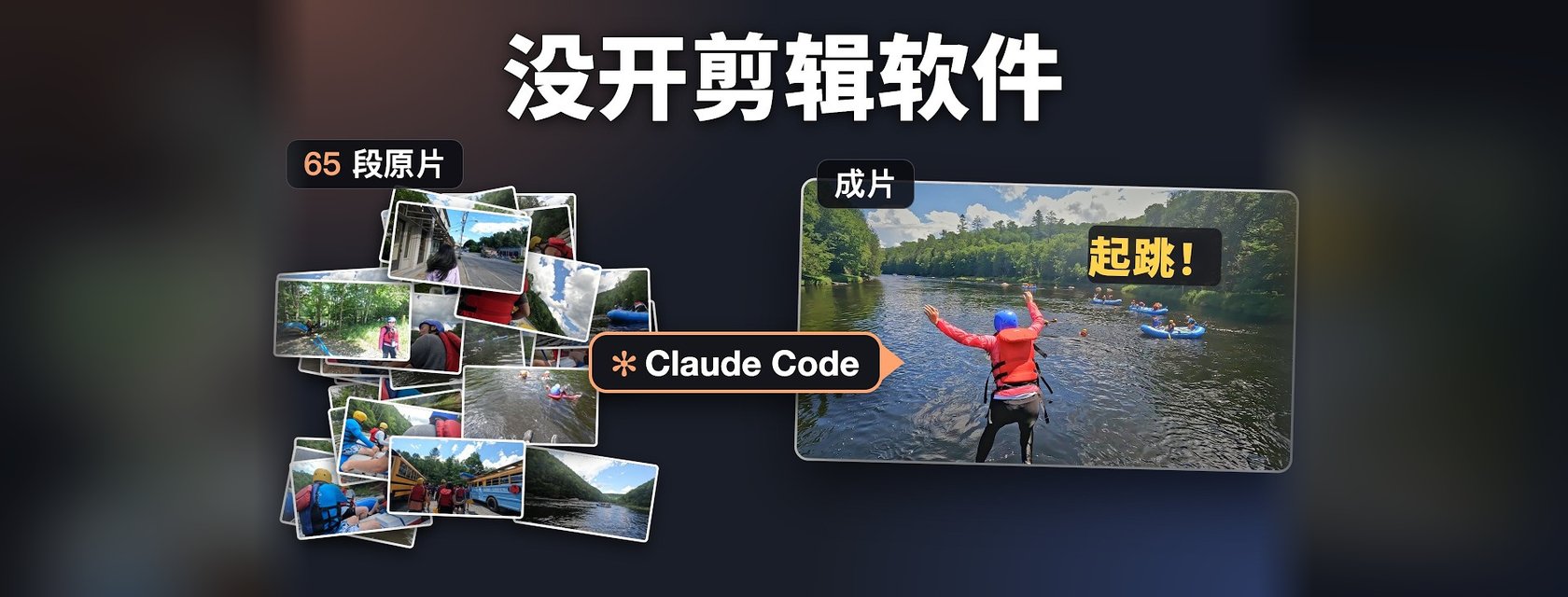
- No video editor: for my last dozen-plus travel vlogs, I never opened one. Claude Code watches the footage, cuts it, captions it, scores it, makes the thumbnail and uploads it.
- That includes the video below: its script, voiceover (synthesized with edge-tts), screen recordings and edit were all done by Claude Code. I gave notes and reviewed.
- My job shrank to two things: review the cut, and ask for one improvement per video.
- It keeps getting more like me: every correction goes into a memory it reads before the next video.
The 10-minute walkthrough, in Chinese with English subtitles. Watch on YouTube ↗
Before: Hours in an Editor
A single video used to cost me several hours in CapCut. I dragged whole clips onto the timeline and then did the tiring part: cut the stumbles, pick what to keep, and go back over it again and again.
That work is tedious, and it's exactly the kind of work that automates well. Even the highlight reel at the start of a video, which I used to skip because it was a hassle, now costs me nothing.
What the Pipeline Does
I started by writing down my own steps: rough cut, music, captions, thumbnail, upload. Then I asked Claude Code to take them over, one at a time. Today the flow looks like this:
- Watch: it samples frames from every clip and tiles them into one image, so it can skim footage the way a person does.
- Listen: it transcribes the speech, then fixes misheard words by checking them against the picture. Two speech models transcribe the same audio and it cross-checks them. CapCut's auto-captions never understood context, so I used to proofread by hand.
- Research: why were there rapids in July? An upstream dam releases water on a schedule. It found a river gauge's flow data and turned it into a chart for the video.
- Write an edit list: which clip, from which second to which second, with which caption and which music. The video renders straight from it.
- Animate: when the picture can't explain something, it draws it. The rafting video has a river mini-map that follows the raft. Other episodes got an 8-second rodeo timer, an animal field guide, a queue clock and a split-flap station board.
- Critique: a second agent only looks for mistakes (more below).
- Ship: title, description, tags, recording date and place, Chinese and English captions, then YouTube and Bilibili together. It also cuts two vertical Shorts from every long video: a hook at the start, a pointer to the full video at the end.
The edit list is the part I didn't expect to matter. It works like a project file. CapCut can't open it, and it doesn't need to: a different agent, say Codex, can pick it up and keep going. Because the format is written down clearly, it's effectively a small language for editing video.
I never taught it how to watch or listen. I only said it needed to, and it worked out the rest.
One Video, End to End: 65 Clips, 28 Notes
Take the rafting episode: a full day on the Hudson River Gorge in upstate New York, a bus ride to the put-in, rapids all the way down, and a jump off a rock halfway.
- Input: 65 raw clips in a folder, the trip plan in Notion, a few sentences of context in the terminal, then one word: 「开剪」 ("start cutting").
- Critic pass: the second agent re-transcribed the finished cut with another model, separated speakers, checked names against official lists, scanned for copyrighted songs and looked for overlapping text. It caught a line where we'd recorded a fellow passenger's name, a wrong year, and three captions that didn't match what was actually said.
- My review: I left 28 notes in the browser, all about feel. Not one was about where to cut a frame.
Requiring a separate critic pass after every cut was something we worked out together. That's what I think the human is for now: setting direction.
Three Small Web Pages
The tooling went in a circle. My first version had a web UI. Then I deleted the UI and just talked to the agent. Now I'm back to a few small pages, because a tool only has to be useful to me. CapCut has hundreds of features; I need a handful, so I had it build a tool that's only mine. I describe what I want, and it builds it.
When I say 「审片」 ("review"), three pages open:
- Raw footage: every clip back to back, so I know what each one says before judging the cut. Green marks the parts used in the video. Green wasn't visible enough, so I asked for a signal light too: lit when a clip is used, dim when it's cut. If a 10-second clip only uses 8 seconds and I want the other 2, I write one line and it adds them.
- The cut: the real review. What stays, what goes, the opening, the ending, every caption.
- Cover picker: several thumbnail versions; I click one.
The comment box came later. I wanted to leave notes the way you comment on YouTube, without going back to the terminal. Now a comment goes straight to the agent listening in the terminal, along with which clip I'm on and the timestamp. It replies with a thumbs-up, edits the list, re-renders, and the light turns on.
Several Agents at Once
I usually have it cut several videos in parallel while I do something else. For the Texas trip, one agent coordinated and five agents cut five videos at the same time.
Once, the usage quota ran out and all five stopped mid-edit. So now every step is checkpointed: when the quota comes back, a fresh agent reads the save and continues, and an upload never happens twice.
Why It Keeps Getting More Like Me
After every conversation it writes what it learned into its skill files and a lessons file, and it reads them before touching the next video. Every rule came out of our back-and-forth in chat:
- One sentence, one caption: speech recognition chops a sentence into fragments; merge them, and if the result is too long, break it at a comma.
- No captions for background voices: speech that pops up suddenly, quietly and unrelated to the picture is usually someone else.
- Rejections stick: a heavy outlined font I called ugly has never come back.
- No dates on screen: "July 4 · Day 2, afternoon" became "Day 2, afternoon".
- Push in, don't point: when something small is interesting, slowly zoom toward it instead of drawing an arrow.
Some memory comes from data. A lot of viewers left during the opening map, so the map now comes after the first scene.
Some it taught itself. I asked it to go learn online, download tools and test them on my footage. Frame-interpolated slow motion and a second speech model stayed. Automatic silence cutting and AI noise reduction didn't. The experiment table is past 70 rows.
This is 养成系 in practice: every correction is compound interest.
The Harness
Memory, the review pages and the critic agent together make up my harness: originally the gear you put on a horse, here everything wrapped around the agent.
It's all light: skill files, Python scripts, a few local web pages, and ffmpeg to render at the end. I write code for a living, but I wrote almost none of this by hand. Mostly I told it what I wanted, in Chinese.
The core code is open: github.com/yizhouyu/youtube-manager. It's written around my channel's habits, so if you use it, change it into yours.
What I Still Do
Two things. I watch the cut and give notes, and I ask for one improvement in every video. It has delivered every single time, which is my favorite part. The improvements that work become defaults.
Honest Caveats
- It's mine, not a product: the pipeline encodes one channel's taste. Pointed at someone else's footage, it would need its memory rebuilt.
- Still the backlog: I'm mostly cutting trips I filmed before. Running the whole channel and picking topics is the next step, not something it does yet.
- Quotas are real: five agents stopping at once is why everything checkpoints now.
- I still review everything: 28 notes on one video is less work than editing, but it isn't zero.
Four Takeaways
1. Write your steps down first. Then hand them over one at a time. The list of steps I wrote on day one is still the skeleton.
2. Make the work a text file. An edit list any agent can read beats a project file only one app can open.
3. Add a critic. A second agent whose only job is finding mistakes caught things I would have missed.
4. Let corrections compound. Every note I give is written down, and the next video starts from there.
Everyone can have their own harness. It doesn't have to be video: the most annoying, repetitive work on your plate can be handed over the same way. For me, this is the most useful thing I've done with AI so far.
This post was adapted with Claude Code from the video's script, which Claude Code also wrote.